How to Download TikTok Videos on PC - Computer
When you're watching your favorite TikTok videos but there's no download button, or you can save the video to your device but the image quality isn't high, SSSTikTok is the best option for you. Try it to get the highest quality video.
When using SSSTikTok, you don't need to download any software to your computer. All you need is a computer with a web browser, and you can successfully save individual videos or multiple videos at once to your device.
Detailed instructions on how to download TikTok videos without watermarks to your computer
Step 1: Copy the TikTok video link
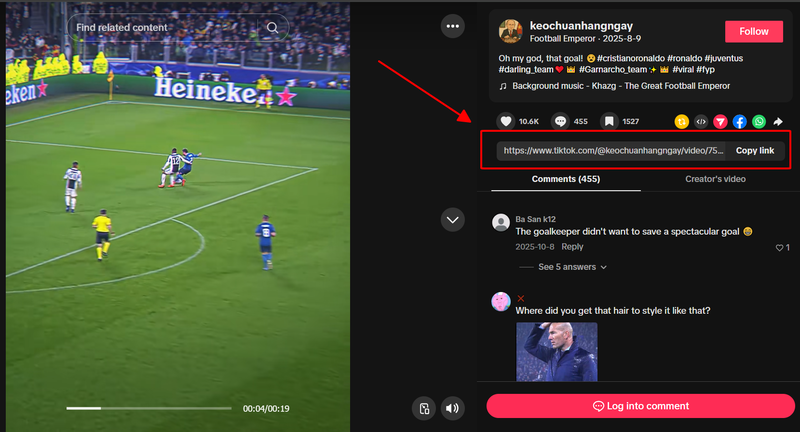
On your computer, access TikTok (using your device's browser). Once on TikTok, find the video you want to download --> Click on "Share video" to get the video link.
Step 2: Paste the video URL into the SSSTikTok input field
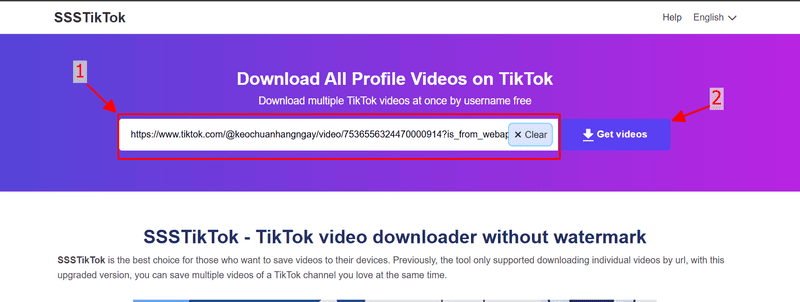
Open the SSSTikTok tool, and on the screen, paste the link you just copied into the input box. After pasting, click the "Download video" button.
Step 3: Download TikTok videos without watermarks
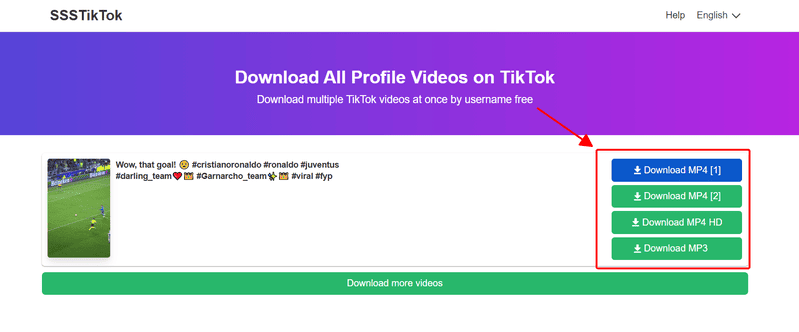
After the video extraction process is successful, several different video quality options will be displayed. Choose the highest quality for downloading.